
Working with R's Azure Machine Learning SDK
This post is a continuation of my series of posts on the now extremely expired Kaggle competition What’s Cooking. In my previous post, Multiclass Imbalance, I attempted to address the class imbalance in the data using class weights and stratified sampling adjustments. It quickly became apparent that while these methods help, finding the right mix of these methods and other model parameters is difficult to do in a one-off fashion. This process of tuning model parameters is called hyperparameter tuning - there are several pacakges designed to help with this in R, specifically the famous caret package. I decided to try out something new to me: Azure Machine Learning Service HyperDrive. By using the Azure based hyperparameter tuning method I’ll be able to get more models tested, have the results quicker, and have a ready made framework for tracking progress. In the future, I’ll be able to use this method for much larger datasets and more complex model types than will work on my local machine. If you’d like to see my full process, check out my repo
Setting up hyperdrive in R is relatively straightworard in R using the azuremlsdk package. This package mirrors the functions availible in the Python azuremlsdk, which is very useful considering the far larger body of documentation availible for the Python implementation. I hope the code I have in this repo helps you and future me work with the R sdk.
Using hyperdrive, I tuned the random forest over the following parameter space:
azuremlsdk::random_parameter_sampling(list("--min_samples_leaf" = azuremlsdk::uniform(1, 15),
                                            "--n_estimators" = azuremlsdk::choice(c(500, 1000, 2000)),
                                            "--wts_method" = azuremlsdk::choice(c('no_wts', 'inv_freq','inv_log_freq'))
                                            ))
The code above basically says that I’m testing the minimum observations allowed in a terminal node, the number of trees to grow, and the class weight strategy. If I tested each of these exhaustively, I’d have 135(!) models to compare just from three parameters. Instead of the exhaustive approach, I used a random sample of the parameters with early stopping. This means Azure will run up to 135 models but if it gets lucky early on and picks the best set it will stop. The downside to this approach is that it is possible that the tuning process could choose a local maximum instead of the global maximum accuracy.
After setting up the base AzureML configuration and the hyperdrive settings, I started the hyperdrive process, setting it to maximize balanced accuracy. I had to repeat this process a few times, as small errors in code can take a few minutes to become apparent looking into the Azure logs. My patience and diligence was rewarded when the setup was finally error free and Azure was able to churn through 87 iterations before settling on a balanced accuraccy of 88% - not the best we’ve seen! It is likely that Azure settled on a local maxima. We could have asked Azure to not stop early and really try every model - but this would have taken longer and doesn’t garuntee that the model would be as good as or better than the best model I trained locally because a random forest is built on random samples.
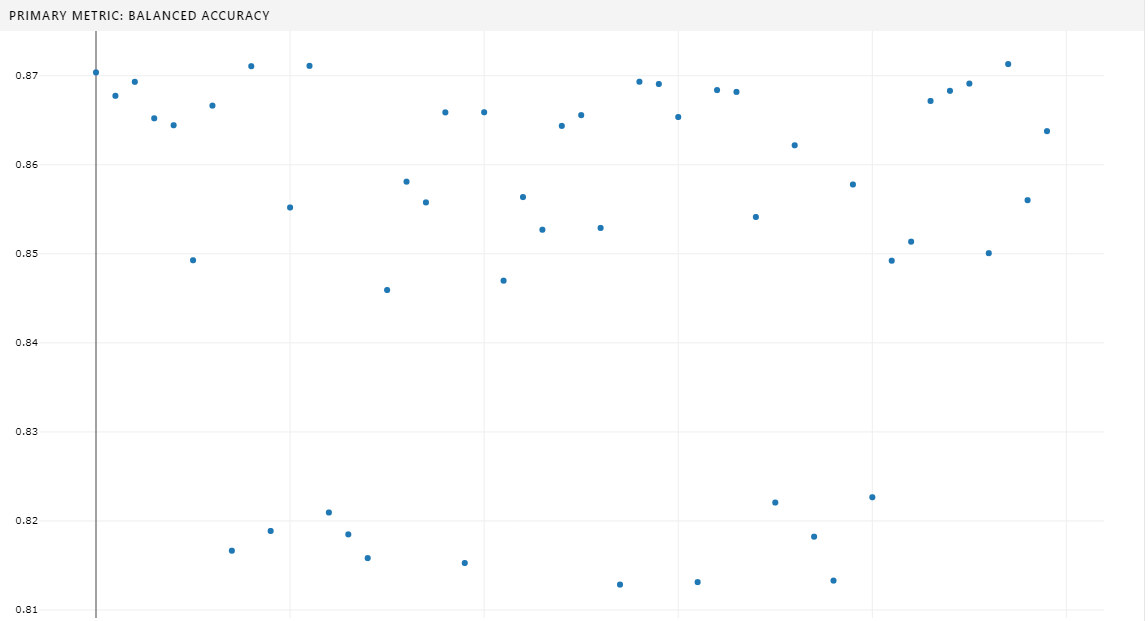
In general I don’t think hyperdrive is going to be a tool that I use for every problem - but I’m really glad to have some exposure to it as I can see its value. The configuration and debugging process was a far larger time investment than the previous models I generated locally. However, once hyperdrive was running, it ran great and its output in the azure portal GUI (seen above) was very useful. In future work, I imagine I’ll use hyperdrive instead of a manual grid serach on parameters to get a better answer faster when having a very accurate model is needed. For POC projects or exploratory work, I think local configuration of a model will be best.